
Bad WordPress plugins cause security vulnerabilities, performance problems, and site-breaking updates. Here is what to look for and why plugin quality matters more than most people realise.
There are over 60,000 plugins in the WordPress repository. Most of them are free. Many of them are bad.
Not bad in an obvious way — they install fine, they activate without errors, they do roughly what they claim to do. The problems show up later. Six months after launch when a WordPress update breaks the plugin and the developer has not touched the codebase in two years. Or when a security researcher discovers a vulnerability that has been sitting in the plugin's code since version 1.0. Or when your client's site starts loading in eight seconds and nobody can figure out why.
Plugin quality is one of the most overlooked factors in WordPress development. This post explains why it matters and what to actually look for.
The Hidden Cost of a Bad Plugin
Every plugin you install on a WordPress site is code running on that server. It has access to the database. It can make external HTTP requests. It hooks into WordPress core functions and filters. It loads CSS and JavaScript on the frontend.
A poorly written plugin does all of these things badly.
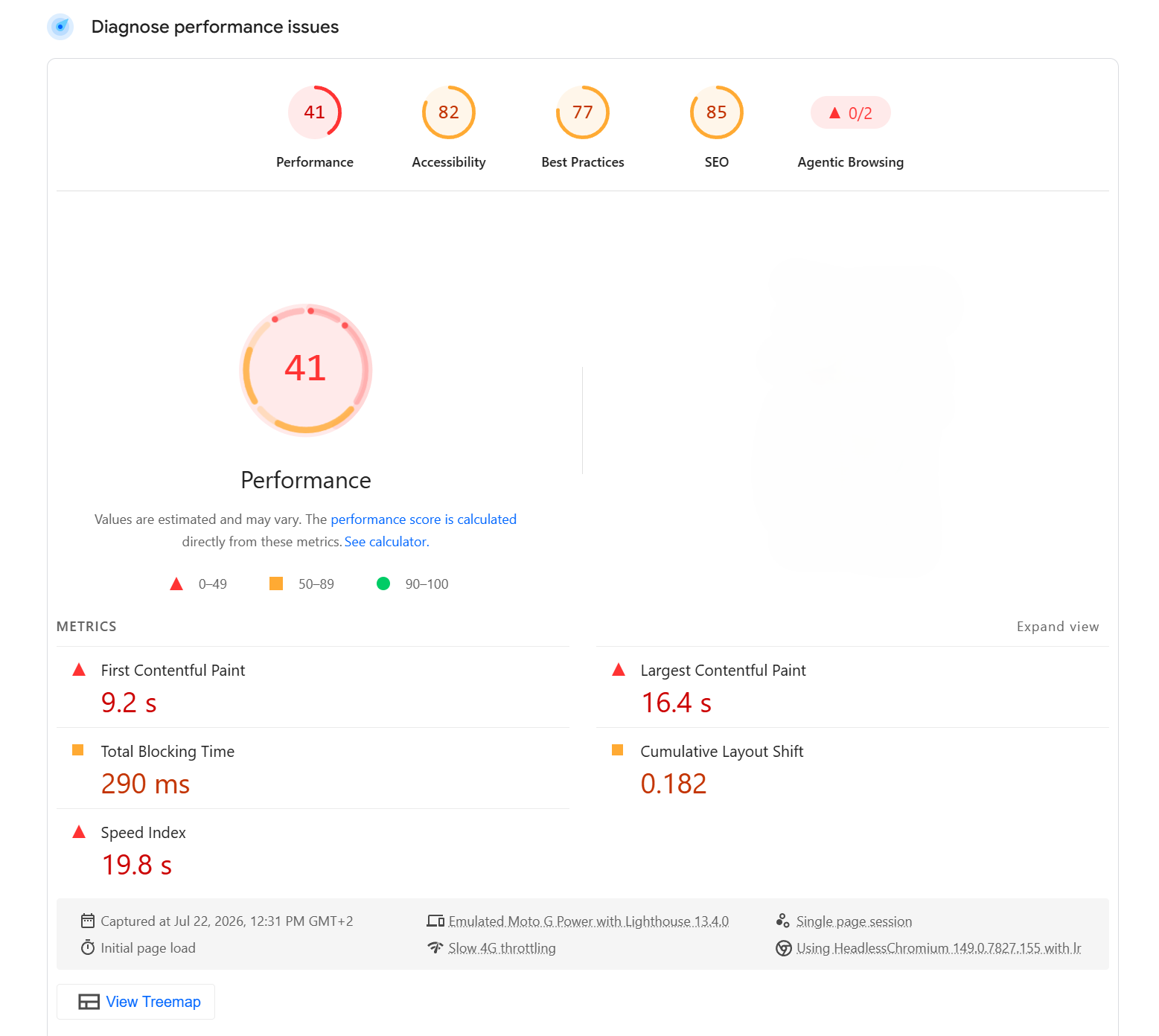
Performance is the most visible consequence. A plugin that loads its entire asset library on every page regardless of whether those assets are needed on that page will tank your Core Web Vitals. A plugin that makes an external API call on every page load with no caching will add seconds to your server response time. A plugin that runs unoptimised database queries on the frontend will slow every page request.
The site in the screenshot above has a 41 performance score and a 16 second load time on mobile. Plugins are almost always part of the story behind numbers like these.
Security Is the Bigger Risk
Performance problems are annoying. Security vulnerabilities are catastrophic.
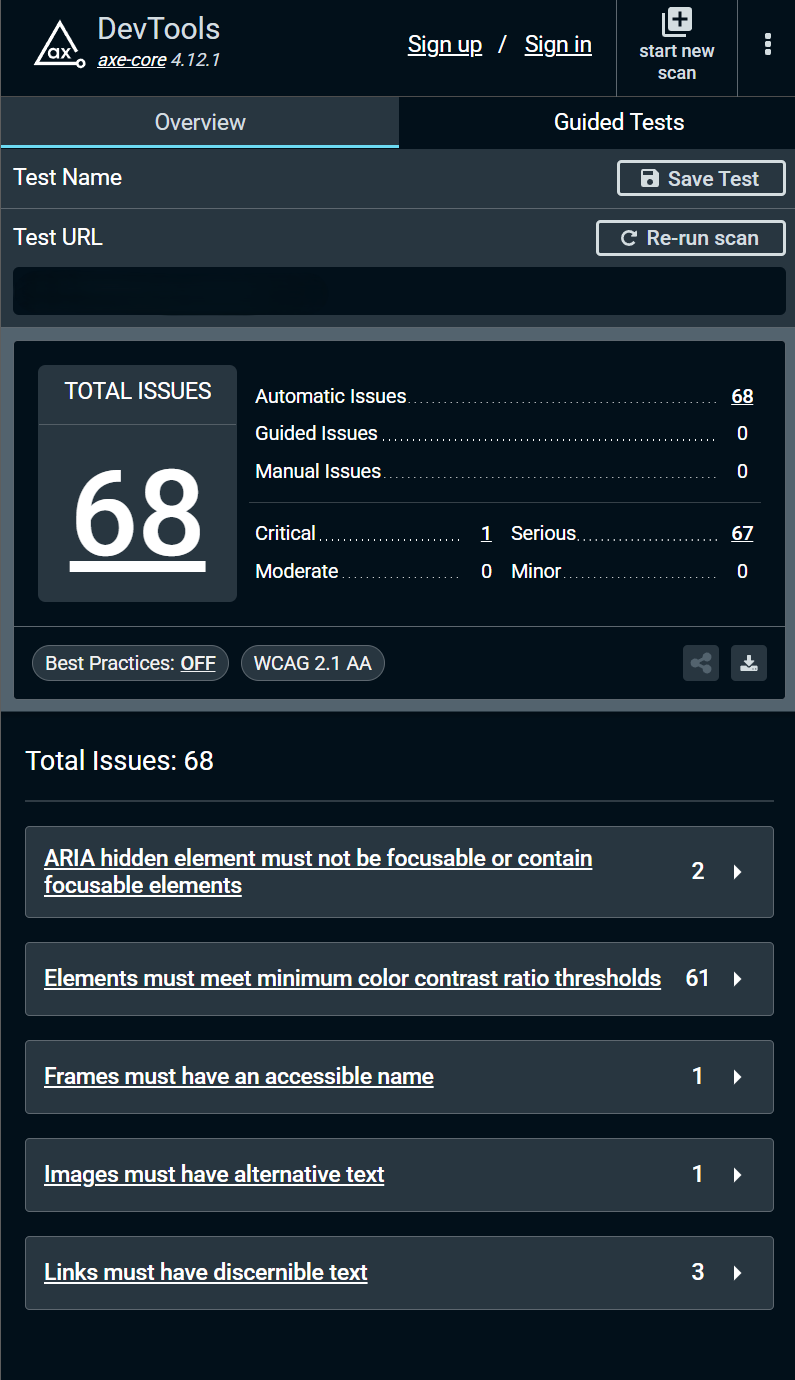
The WordPress security landscape is dominated by plugin vulnerabilities. The vast majority of WordPress sites that get hacked are compromised through a vulnerable plugin, not through WordPress core itself. Core is maintained by a large, experienced team with rigorous security processes. A free plugin built by a solo developer in their spare time does not have the same level of scrutiny.
Common plugin security failures include SQL injection vulnerabilities where user input is passed directly to database queries without sanitisation. Cross-site scripting vulnerabilities where output is not properly escaped. Broken access controls where users can perform actions they should not be able to. Insecure file uploads that allow arbitrary code to be executed on the server.
None of these are exotic attack vectors. They are basic security mistakes that well-written code does not make.
The Abandonment Problem
A plugin that is actively maintained is a very different thing from a plugin that has not been updated in two years.
WordPress releases major updates regularly. PHP versions advance. Security vulnerabilities get discovered and need patching. A maintained plugin keeps pace with all of this. An abandoned plugin does not.
When WordPress releases a major version and an abandoned plugin has not been tested against it, you get the warning in the dashboard: "This plugin has not been tested with the latest version of WordPress." That warning means something. It means the developer has either moved on, lost interest, or is no longer capable of maintaining the plugin. Your client's site is now dependent on code that nobody is looking after.
This happens constantly. Plugins that were perfectly fine five years ago become security liabilities and compatibility problems simply because the developer stopped maintaining them.
What to Look for When Choosing Plugins
Last updated date — A plugin that has not been updated in over a year is a risk. Over two years is a serious concern. Check this on the WordPress.org plugin page before installing anything.
Active installs — Higher active install counts generally mean more users reporting issues, more scrutiny, and a larger incentive for the developer to maintain the plugin. A plugin with 1 million active installs is under far more scrutiny than one with 200.
Tested up to — WordPress.org shows which version of WordPress the plugin has been tested against. If this is significantly behind the current WordPress version, the developer is not keeping up.
Support forum activity — Look at the support forum on the plugin's WordPress.org page. Are questions being answered? Are reported bugs being fixed? A developer who ignores their support forum is probably not maintaining their code either.
Code quality — If the plugin has a public GitHub repository, a quick look at the codebase tells you a lot. Is the code readable? Are there inline comments? Is there a changelog? Are issues being responded to? These signals matter.
The business model — A plugin that has a sustainable business model behind it — a premium version, a professional support tier, a company with employees — is more likely to be maintained long term than a free plugin with no monetisation strategy. Someone has to pay for the maintenance work.
Premium Plugins vs Free Plugins
Premium plugins are not automatically better than free ones. There are excellent free plugins maintained by large teams with solid funding. There are also terrible premium plugins that charge for the privilege of being bloated and poorly written.
But in general, a premium plugin from a reputable company has more resources behind it. There is a financial incentive to fix security issues quickly, to maintain compatibility with new WordPress versions, and to respond to support requests. The subscription model aligns the developer's interests with the user's.
When recommending plugins to clients I lean toward well-established premium plugins for critical functionality — forms, e-commerce, membership, SEO — and apply the same quality criteria to free plugins for simpler needs.
Building Custom Plugins
Sometimes the right answer is not to install a plugin at all but to build exactly what the site needs.
A custom plugin built specifically for a client's requirements does exactly what is needed and nothing else. No bloat from features that are not being used. No security surface area from functionality that is irrelevant to the project. No dependency on a third party developer's continued interest in maintaining their codebase.
Custom plugins are not always the right choice — they cost more upfront and require ongoing maintenance from someone who understands the codebase. But for critical functionality that does not map cleanly to an existing plugin, building something bespoke is often the better long term investment.
The Bigger Picture
Plugin quality is a symptom of a broader issue in how WordPress sites get built. The "just install a plugin for that" approach is fast and cheap in the short term. Over time it produces sites that are slow, insecure, fragile on updates, and expensive to maintain.
Every plugin you add to a WordPress site is a dependency. Dependencies have cost — in performance, in security surface area, in maintenance overhead. Treating that cost as real and evaluating plugins accordingly is the difference between a site that works well for five years and one that becomes a problem in eighteen months.
Need a custom WordPress plugin built properly, or a review of your existing plugin setup? Get in touch.
Share this article