Full Site Editing is the biggest change to WordPress in years. Here is what it is, what it means for your website, and why it matters for anyone building on WordPress today.
If you have spoken to a WordPress developer recently and heard terms like FSE, block themes, or the Site Editor, you are not alone in wondering what any of it means. Full Site Editing is the biggest change to WordPress in years — and most people who use WordPress have no idea it exists.
This post explains what Full Site Editing is, how it works, and why it matters for anyone building or managing a WordPress website in 2026.
What WordPress Looked Like Before
For most of its history, WordPress had a split personality.
Your content — blog posts, pages, text — lived in one editor. Everything else — your header, footer, navigation, sidebar — was controlled by a completely separate system called the Customizer. Changing your logo meant going to Appearance, then Customize, then Site Identity. Changing your menu meant going somewhere else entirely. Adding a widget to your footer meant finding the Widgets panel.
It worked, but it was fragmented. Nothing felt connected. And if you wanted to change the layout of your homepage or the structure of your blog archive, you needed a developer or a page builder plugin.
What Full Site Editing Changes
Full Site Editing — introduced in WordPress 5.9 — brings everything into one place.
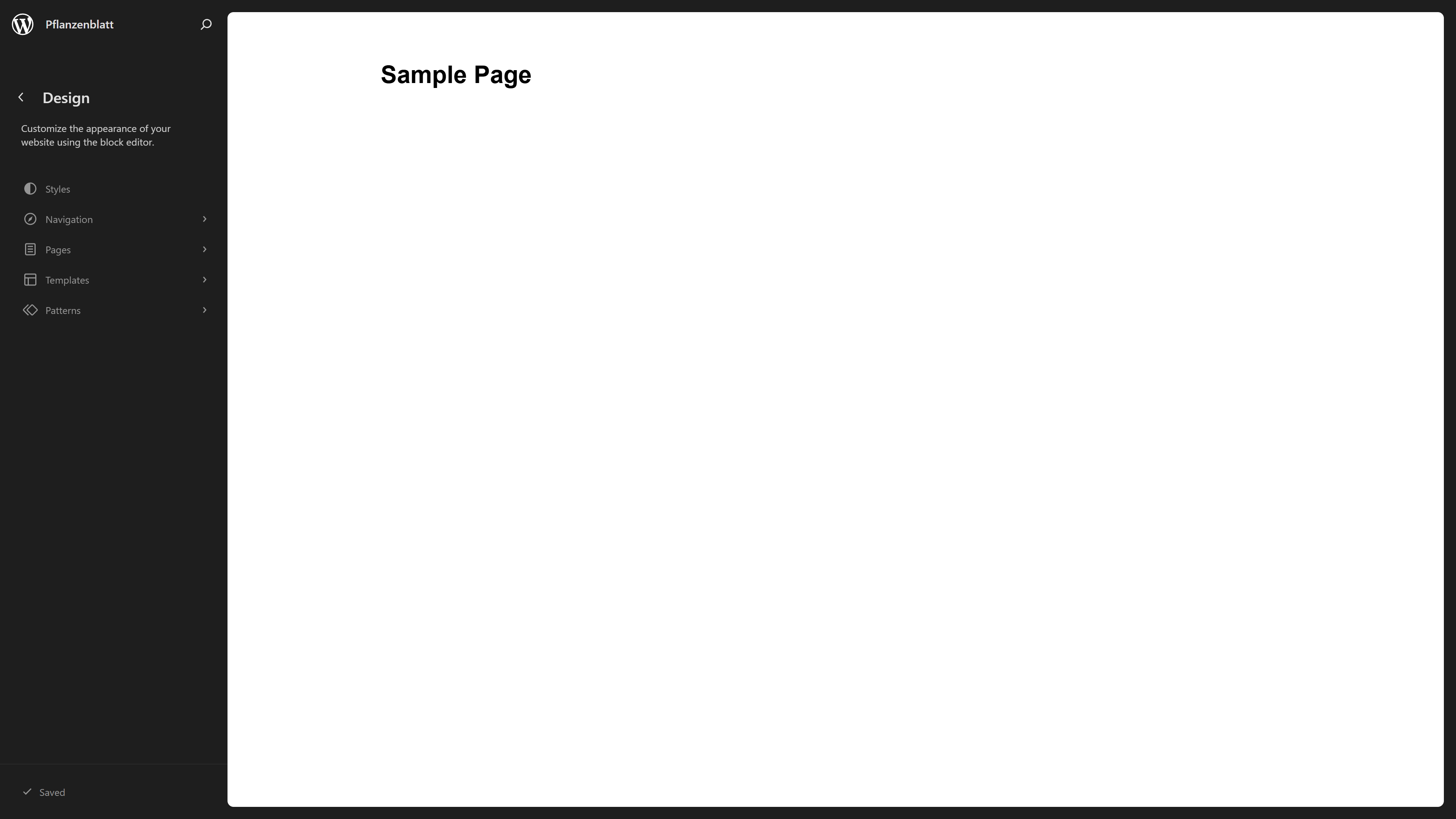
Your header, footer, page templates, global typography, colours, spacing — all of it is now editable from a single interface called the Site Editor. You access it from Appearance → Editor in your WordPress admin.
Instead of jumping between five different panels to make changes to your site, everything is in one place. And everything uses the same block-based interface you already know from editing posts and pages.
This sounds like a small change. It is not. It fundamentally changes what is possible in WordPress without writing a single line of code or installing a page builder plugin.
The Key Parts of Full Site Editing
Templates are the layouts that control how different types of content are displayed. Your homepage has a template. Your single blog post has a template. Your category archive has a template. With FSE you can edit all of these visually, directly in the browser, without touching any PHP files.
Patterns are reusable groups of blocks — a hero section, a testimonial row, a call to action — that you can save once and use anywhere on the site. Change the pattern in one place and it updates everywhere it is used.
Global Styles is where you set the design rules for your entire site — typography, colours, spacing, and button styles — in one panel.
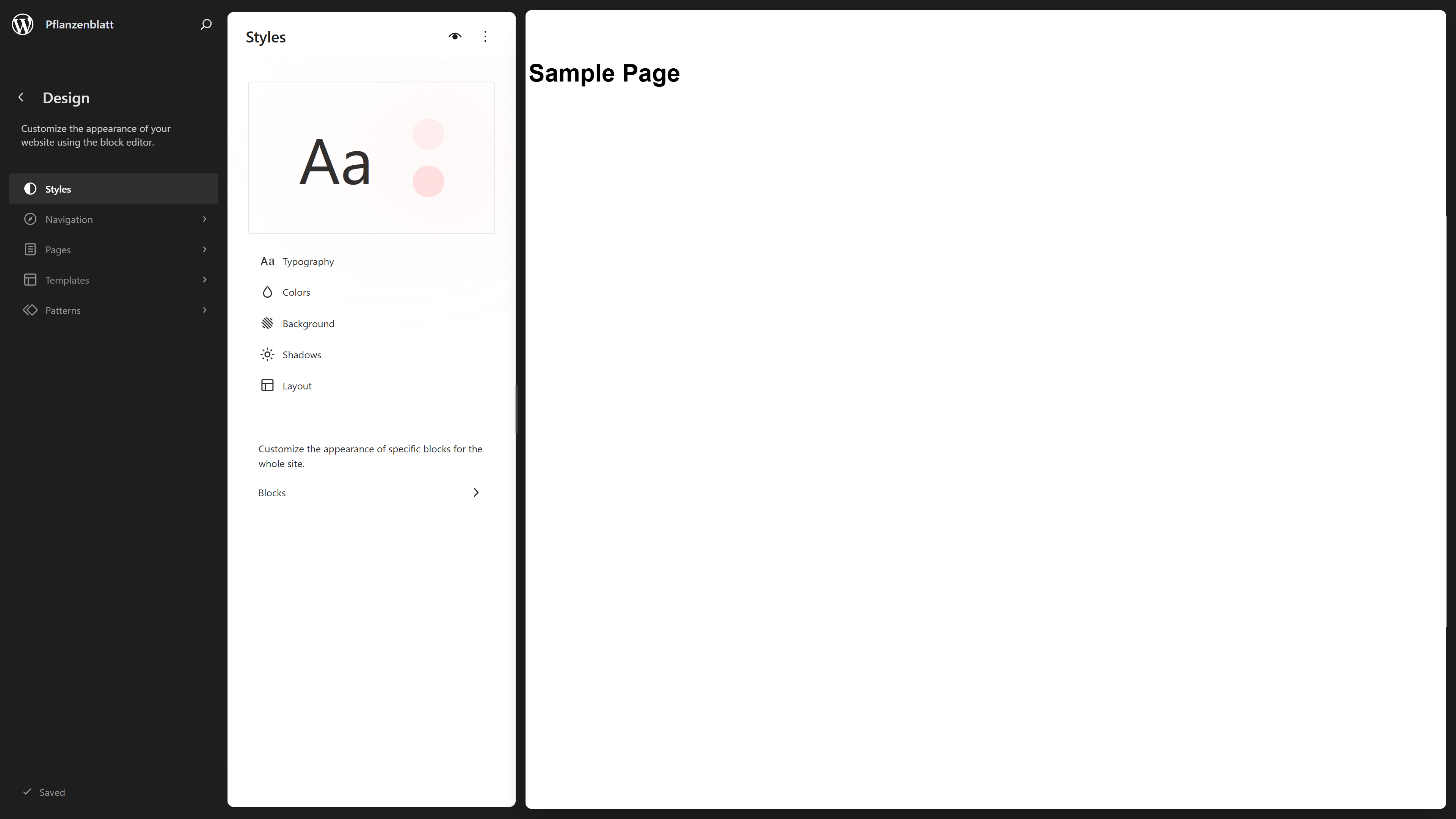
Change your brand colour in Global Styles and it updates across every block on every page that uses it. No more hunting through a stylesheet trying to find where a colour is defined.
Navigation is now a block. Your menu is built and edited inside the Site Editor using the same drag and drop interface as everything else.
What This Means If You Are Building a New Website
If you are commissioning a new WordPress website in 2026, Full Site Editing changes what you should expect from your developer.
A modern WordPress site built with FSE gives you:
A single editing interface for everything — not five different panels to learn. The ability to edit your own page templates without developer help for routine changes. A site that is not dependent on a third-party page builder plugin that could break, change its pricing, or get abandoned. Cleaner, faster code because FSE themes load only what they need — no bloated page builder assets.
The sites that are hardest to maintain and most expensive to update are the ones built on page builders from five years ago. FSE is WordPress's answer to that problem.
What This Means If You Already Have a WordPress Site
If your current site was built with a classic theme and the old Customizer, you are not running an outdated site — millions of WordPress sites still use classic themes and they work fine.
But if you are planning a redesign, or your current site is causing maintenance headaches, it is worth asking your developer about building the new version on a block theme with FSE. The editing experience for you or your team will be significantly better, and the site will be better positioned for how WordPress is developing over the next five to ten years.
Full Site Editing Is Not a Page Builder
This is worth saying clearly because the comparison comes up constantly.
Page builders like Elementor and Divi are third-party plugins that add visual editing on top of WordPress. Full Site Editing is built into WordPress core. It is not a plugin. It does not cost extra. It will not send you a subscription renewal email or break your site when you click update.
FSE is WordPress maturing into what it should have been from the start — a complete, modern content management system where the entire site is editable in one place, built on open standards, with no third-party dependency required.
The Bottom Line
Full Site Editing is not a trend or an experiment. It is the direction WordPress is committed to and has been investing in heavily for the past four years.
If you are building a new WordPress site, or working with a developer who knows the block editor properly, FSE is the right foundation to build on. It is more flexible, more maintainable, and more future-proof than the page builder approach that dominated WordPress development for the previous decade.
Building a new WordPress site or want to migrate to a modern block-based theme? Get in touch — this is exactly what I do.
Share this article