WordPress is not slow. Bad WordPress implementations are slow. Here is what actually causes poor performance and how to avoid it.
WordPress powers 43% of the web. It is the most widely used CMS in the world. It is also one of the most complained-about platforms when it comes to performance.
The complaints are not wrong. Slow WordPress sites are everywhere. But the reason they are slow is almost never WordPress itself.
WordPress is not slow. Bad WordPress implementations are slow. There is a significant difference, and understanding it changes how you build, maintain and evaluate WordPress sites.
What Actually Makes WordPress Sites Slow
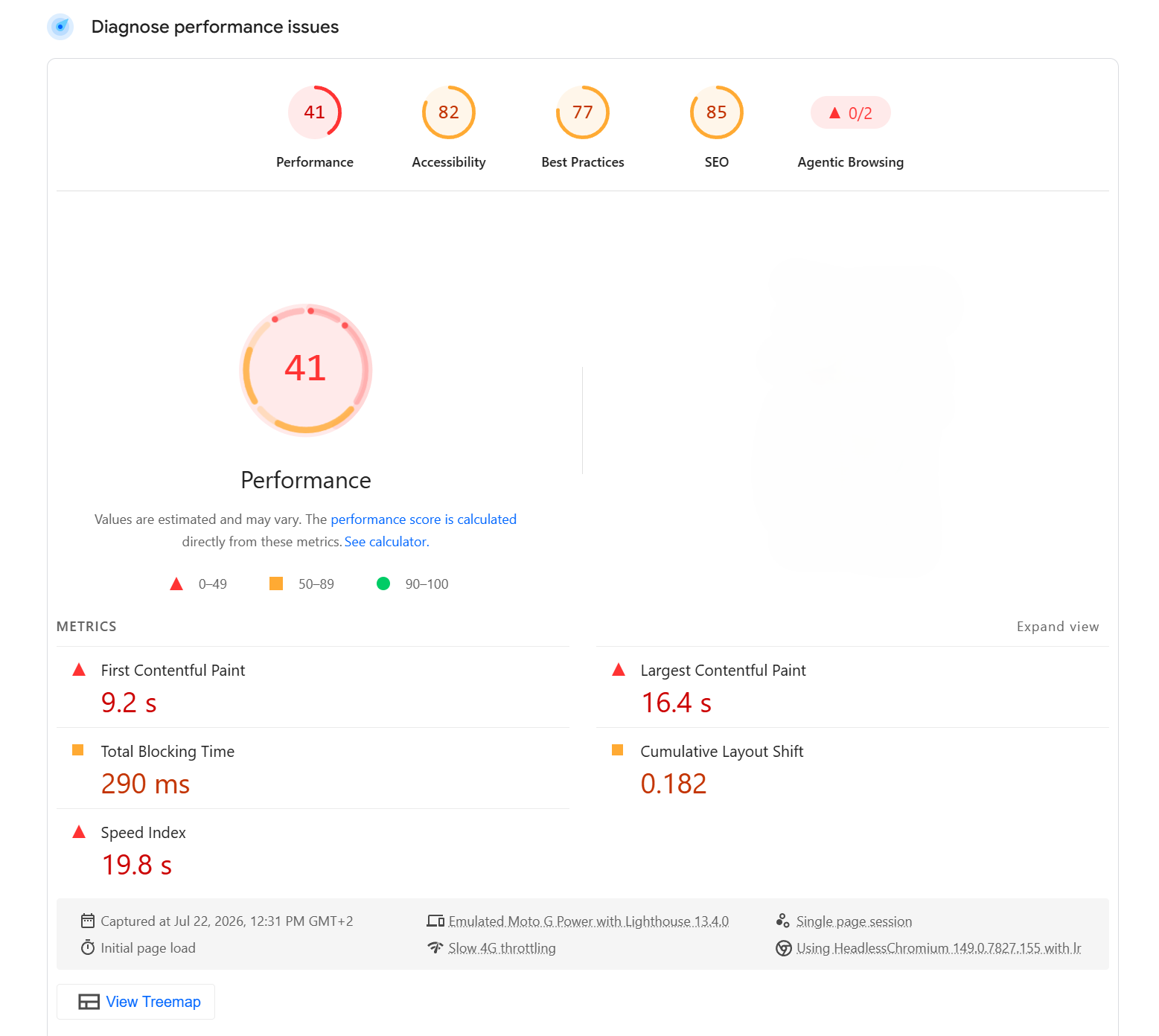
The performance problems I see on WordPress sites come from the same sources every time.
Page builders. Elementor, Divi and WPBakery are the most common culprits. These plugins load large amounts of JavaScript and CSS on every page of a site regardless of what that page actually contains. A simple contact page with a heading and a paragraph still loads the full page builder library. A homepage built with Elementor can easily add 500 kilobytes or more of assets that a visitor's browser has to download, parse and execute before the page becomes usable.
Too many plugins. Every plugin adds overhead. Database queries, JavaScript files, CSS files, background processes. A site with thirty plugins is carrying the weight of thirty separate codebases, many of them loading assets on pages that do not need them. The individual cost of each plugin seems small. The cumulative cost is a slow site.
Unoptimised images. A full-resolution photograph uploaded directly to the media library, displayed at 400 pixels wide on a mobile screen, is one of the most common performance problems in WordPress. The browser downloads a 4MB image to display it at a fraction of its original size. Multiply this by every image on a page and you have a site that loads in eight seconds on a mobile connection.
Cheap shared hosting. WordPress runs on PHP. PHP needs a server to execute it. A slow server means a slow site regardless of how well the theme and plugins are configured. Shared hosting at the lowest price tier often means a server handling hundreds of sites simultaneously, with limited memory and processing power allocated to each one. The Time to First Byte — the time it takes the server to begin responding to a request — can be over a second before the browser has received a single byte of the page.
What a Fast WordPress Site Looks Like
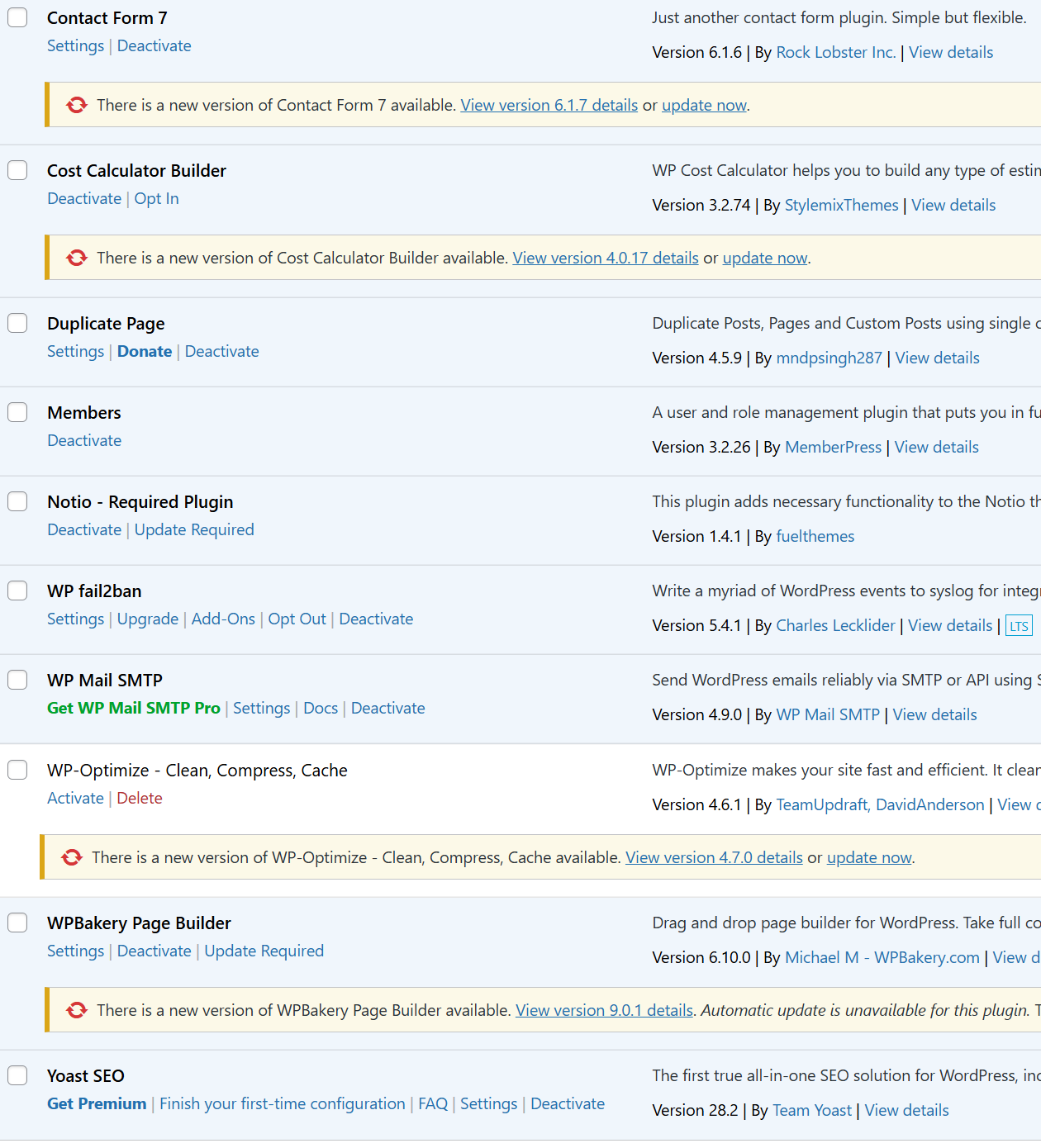
A WordPress site built without a page builder, with a minimal set of well-maintained plugins, properly optimised images and a decent hosting provider will score well on PageSpeed Insights. Not just well — it will compete with sites built on any other platform.
The Gutenberg block editor and Full Site Editing produce clean, semantic HTML with no unnecessary dependencies. A custom block built properly outputs exactly the markup it needs and nothing else. There is no page builder library sitting behind it adding weight to every page load.
A well-configured caching plugin serves static HTML to most visitors, bypassing PHP execution entirely. A CDN distributes assets from servers close to each visitor. Images served in modern formats like WebP at appropriate sizes load in a fraction of the time an unoptimised JPEG would.
None of this is difficult. It requires making deliberate choices at the start of a project rather than reaching for the easiest option.
Why the Reputation Persists
WordPress is easy to get started with. That is one of its greatest strengths. You can install it in minutes, install a page builder on top, install a theme, install twenty plugins and have something that looks like a website.
That ease of entry is also why so many poorly built WordPress sites exist. The platform does not stop you from making decisions that will hurt performance. It does not warn you when a plugin is adding 300 kilobytes of JavaScript to every page. It does not flag when an image is ten times larger than it needs to be.
The developers and agencies who build most WordPress sites are not always focused on performance. They are focused on getting something live quickly. The client sees a site that looks right in Chrome on their desktop and approves it. The performance problems only become visible later, when bounce rates climb and search rankings drop.
The reputation for slowness comes from this: the most common way WordPress gets used produces slow sites. The platform gets blamed for the shortcuts taken by the people using it.
WordPress built properly is not slow. It never was.
Share this article